


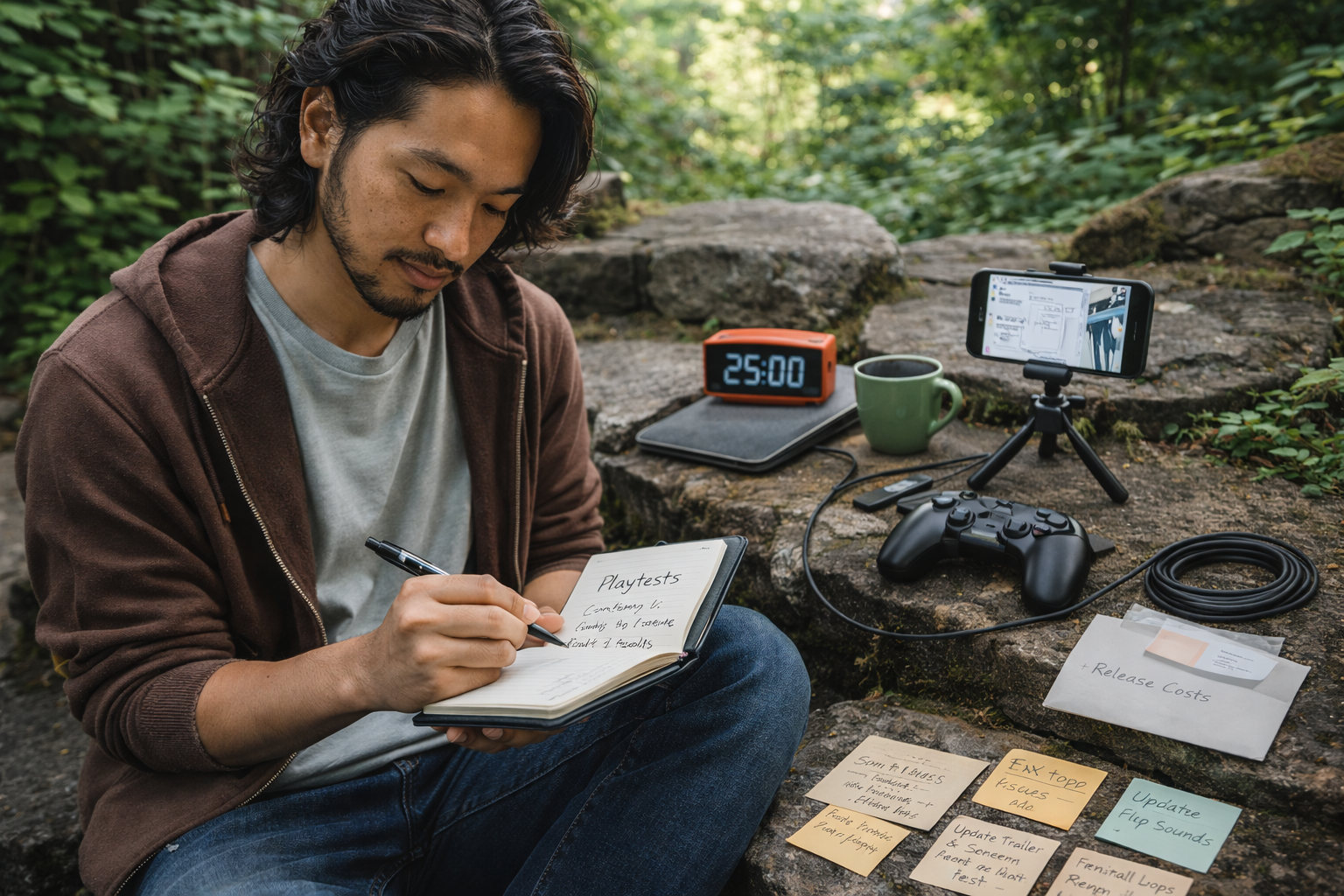
January is a reset month for indie game developers.
New plans. Old backlogs. Quiet promises to finally finish something real.
However, big purchases rarely fix stalled progress. More often, developers move forward after small, low-cost upgrades that remove everyday friction. These are the tools that make it easier to sit down, focus, and keep going.
This article covers low-cost tools for indie game developers that actually get used in 2026. Nothing flashy. Nothing complicated. Just practical improvements that support real work.
Start Here: Identify Your Current Bottleneck
Before adding tools to your setup, pause for a moment.
Ask yourself one simple question: What is slowing me down right now?
For many developers, the answer falls into one of these areas:
- Trouble staying consistent
- Difficulty planning and scoping work
- Friction during playtesting and polish
- Stress around sharing progress or builds
Once the bottleneck is clear, choosing the right tool becomes easy. Instead of collecting gear, you solve the next real problem.
Tools That Make Consistency Easier
Skill is rarely the issue. Consistency is.
These low-cost tools help turn intention into action.
A Plain, Undated Dev Notebook
This is not about journaling. It is about clarity.
A notebook gives you space for:
- Feature ideas
- Level sketches
- Bug lists
- UI notes
- Clear “next steps”
Undated pages matter because they remove guilt. Miss a few days and nothing breaks.
As a result, developers actually keep using it.
A Simple Desk Timer
Starting work is often harder than continuing.
A timer turns “I should work” into “I’ll work for 25 minutes.” That shift is powerful. It also works well for focused playtesting sessions.
Sticky Notes That Stay Put
Indie developers live in micro-tasks.
One or two visible priorities beat a massive digital to-do list. High-quality sticky notes keep focus tight without clutter.
Comfort Upgrades That Prevent Burnout
Game development is creative work. It is also physical work.
Small comfort upgrades often extend sessions without increasing fatigue.
A Wrist Rest or Ergonomic Mouse Pad
Switching between code, engine tools, and browsers all day adds strain. A wrist rest reduces that strain immediately.
Most developers do not realize how helpful this is until they try it.
A Large Desk Mat
A desk mat improves grip, reduces sliding, and creates space for notes. More importantly, it makes the setup feel intentional.
That psychological shift helps people take their work seriously.
A Laptop Stand or Riser
If you work on a laptop, posture is usually the first issue. Raising the screen reduces neck strain and makes longer sessions easier.
This is a simple fix with a big impact.
Tools That Improve Playtesting and Polish
Many indie projects stall at “almost done.”
These tools make polish feel manageable instead of overwhelming.
A Dedicated Playtest Notebook
Feedback only helps when it gets written down.
A dedicated notebook encourages developers to track:
- Where players get confused
- Where they get stuck
- What feels good
- Bugs and performance issues
Because the notebook has one job, it actually gets used.
Long Charging Cables for Controllers
This sounds trivial, but it matters.
Nothing kills momentum like a controller dying mid-test when you are trying to reproduce a bug.
A Small Phone Tripod
A phone tripod removes friction from capturing progress. It helps with gameplay clips, sketches, whiteboard plans, and quick devlogs.
As a result, sharing work feels less intimidating.
Creative Support for Art and Audio
Most indie developers do more than one role.
These tools support creative polish without forcing new workflows.
A Drawing Glove or Stylus Accessory
If you use a tablet, a drawing glove reduces friction during longer sessions. If not, stylus accessories still help with planning on devices you already own.
This is a small upgrade that adds comfort fast.
Printed Sound Effect Prompts
Footsteps. UI clicks. Menu transitions. Ambient loops.
A simple printed list nudges developers toward polishing details that make games feel alive.
A Basic Pop Filter
For narration or dev explanations, a pop filter improves clarity instantly. It also boosts confidence when sharing content.
Light Support for the Business Side
Money and marketing feel overwhelming until they become urgent.
Small, low-pressure tools help developers think ahead without stress.
A Simple “Release Costs” Envelope
Setting aside even a small amount for store fees or licenses removes a mental barrier.
Progress feels easier when costs are not looming.
A One-Page Launch Checklist
Not a strategy document. Just clarity.
For example:
- Update screenshots
- Fix top issues
- Test a fresh install
- Ask a few people to play
- Prepare a short launch post
When your brain is overloaded, checklists save projects.
Quick Picks by Developer Type
If you want to decide fast:
- Planner-type dev: notebook, sticky notes, desk timer
- Long-session dev: wrist rest, desk mat, laptop stand
- Almost-shipping dev: playtest notebook, long cables
- Sharing-focused dev: phone tripod, pop filter
All of these are low-cost tools for indie game developers that solve real problems.
What to Skip in January 2026
Some things slow progress instead of helping it:
- Complicated tools that demand new workflows
- Novelty items that do not support building
- Random subscriptions without a clear purpose
- Anything that feels like pressure disguised as productivity
Support should feel supportive.
Final Thoughts
January is not about reinvention. It is about momentum.
The best low-cost tools for indie game developers in 2026 are the ones that make the next two hours of work smoother. Not perfect. Just easier.
Remove friction. Protect energy. Keep showing up.
That is how projects actually get finished.
